
Guides
Customize the toolbar
Use the six-slot quick-access row, the More tools panel, and drag-and-drop to pin the actions you need.
Switch to DeutschThe sync toolbar sits above the grouped-tab list. It has three parts that stay separate on purpose:
- a quick-access row with six pin slots;
- More tools (
…), which opens the overflow panel of remaining actions; - the Mirror / Sync status region on the right, which is not part of the pin catalog.
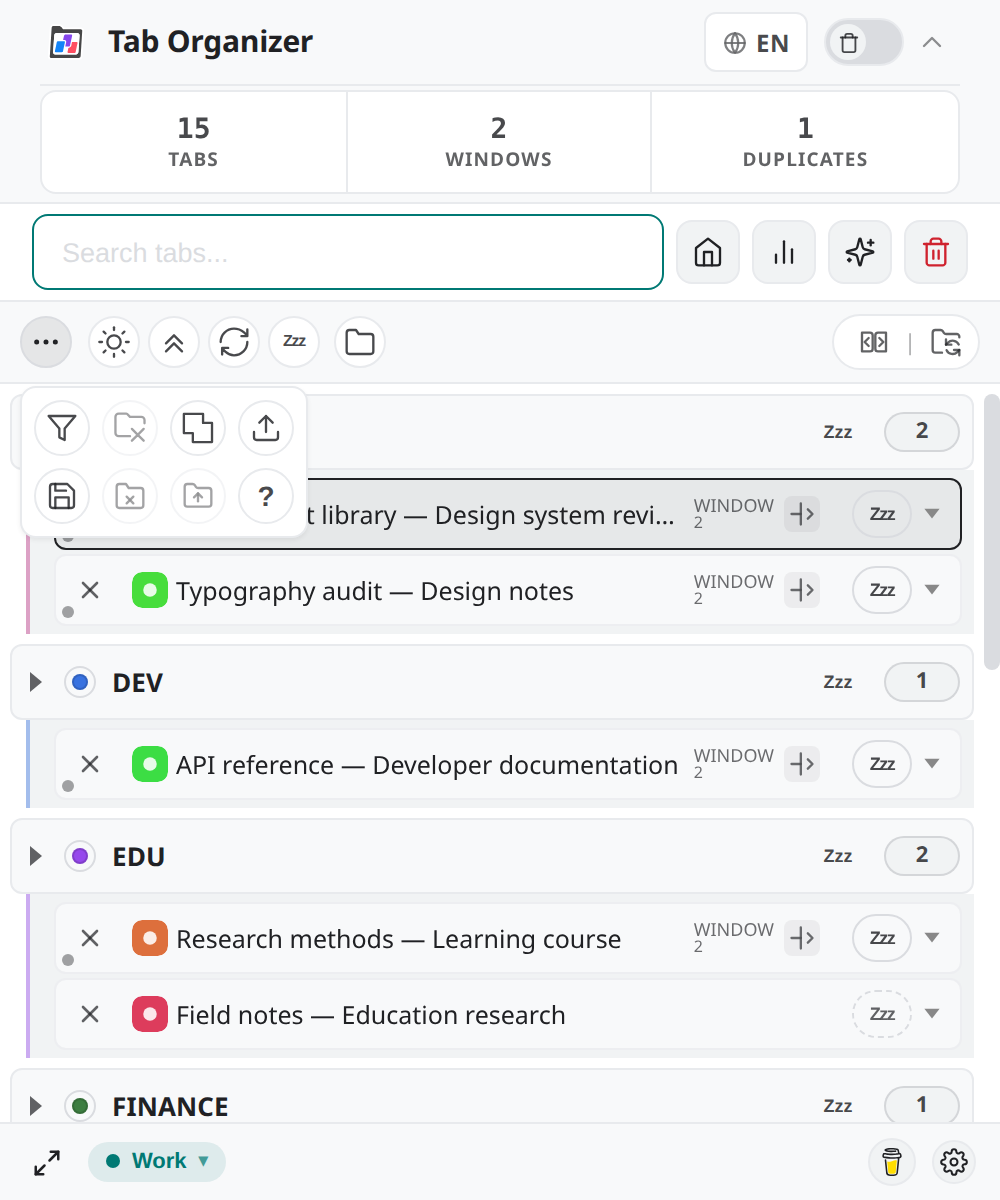
Six-slot quick access
The pinned row is a fixed grid of six slots. Those six places are the only quick-access positions you can fill.
- Empty slots stay empty until you pin an action. They render as open drop targets.
- Layout is stored in this Chrome profile's extension storage (
toolbarLayout). Changing it once stops the fresh-install seed from overwriting it. - The same row appears in the popup, Side Panel, and dedicated window.
A fresh profile pins Switch light/dark mode and Collapse all groups. The other four slots start empty.
More tools panel
Select More tools to open the overflow panel. It lists every catalog action that is not currently pinned. Close it with the same control, Escape, or by clicking outside the panel.
Actions in the panel are the same controls as the pinned row — they are moved, not copied. Pinning an action removes it from the panel; removing it from the toolbar returns it to the panel.
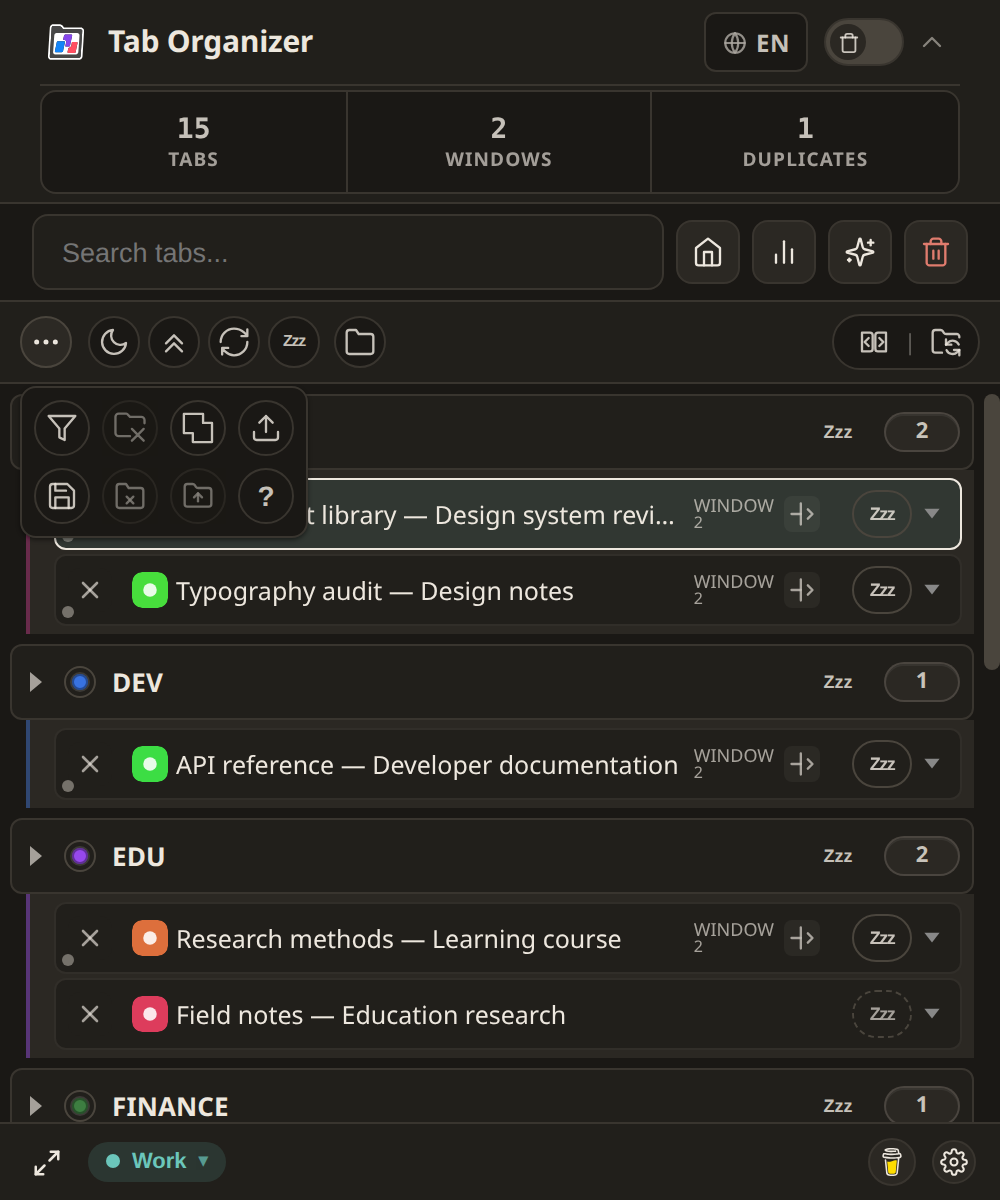
Drag, pin, and reorder
You can rearrange the catalog with drag-and-drop or with the pin commands.
- Open More tools.
- Drag an action onto an empty slot, or onto a filled slot to swap. You can also choose Pin to toolbar.
- Drag pinned actions between the six slots to reorder them.
- To free a slot, drag the action back into the panel or choose Remove from toolbar.
- Close More tools and confirm the six-slot row matches the layout you intended.
If every visible slot is filled, unpin one action before pinning another. The product stores eight logical slot indexes; only the first six render on screen. Treat those six as the layout you can fill.
Action catalog
These controls can occupy a quick-access slot or stay in More tools. Labels below match the English interface.
| Control | What it does |
|---|---|
| Switch light/dark mode | Toggles the product theme. |
| Refresh tabs and data | Reloads the visible tab list from Chrome. |
| Collapse all groups | Collapses or expands all groups in the list. |
| Filter groups | Limits the list to selected groups. |
| Manage custom groups | Opens the custom-group editor. |
| Dissolve selected groups | Starts dissolving groups you choose. |
| Merge all windows into one | Offers a confirmed merge of other windows into the current one. |
| Load session | Opens restore. Hidden or disabled while Tab Groups Sync (BETA) is on. |
| Save session | Opens save. |
| Ungroup all tabs | Removes grouping from extension-visible tabs, with a warning. |
| Collapse all groups except the active one | Collapses native/list groups around the active tab. |
| Keyboard shortcuts (?) | Opens the shortcut overlay. |
| Put all eligible tabs to sleep / Wake all sleeping tabs | Global Sleep or Wake for eligible tabs. A filled accent Zzz means the control will wake sleeping tabs. |
Group Mirror Mode and Tab Groups Sync (BETA) stay in the status region. They cannot be dragged into the six slots.
Collapse in browser too
When Group Mirror Mode is on, More tools gains an extra switch: Collapse in browser too.
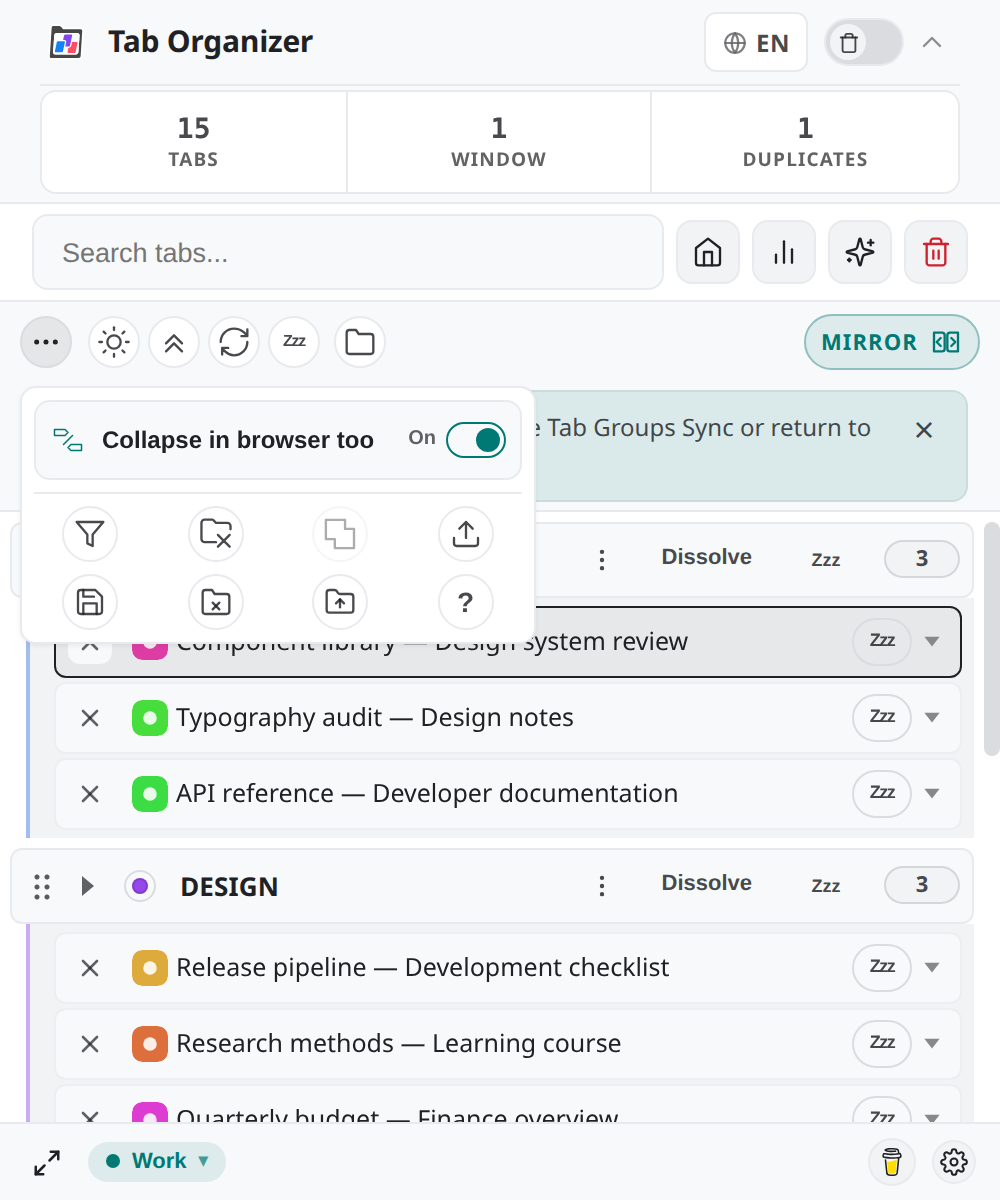
That switch is not a pin-able action. It only appears in the Mirror-context panel:
- On — collapse and expand in Tab Organizer also affect Chrome's native groups.
- Off — collapse state stays in Tab Organizer.
Turn Mirror off and the switch hides again. See Group Mirror Mode.
Defaults and limits
- Six on-screen slots; empty slots are valid.
- Drag-and-drop and Pin to toolbar / Remove from toolbar write the same stored layout.
- Existing storage is never replaced by the default seed.
- Destructive catalog actions still show their usual warnings after you pin them.