
Guides
Review rarely visited tabs
Use local visit history to review recommendations, adjust the selection, and confirm any tab closures.
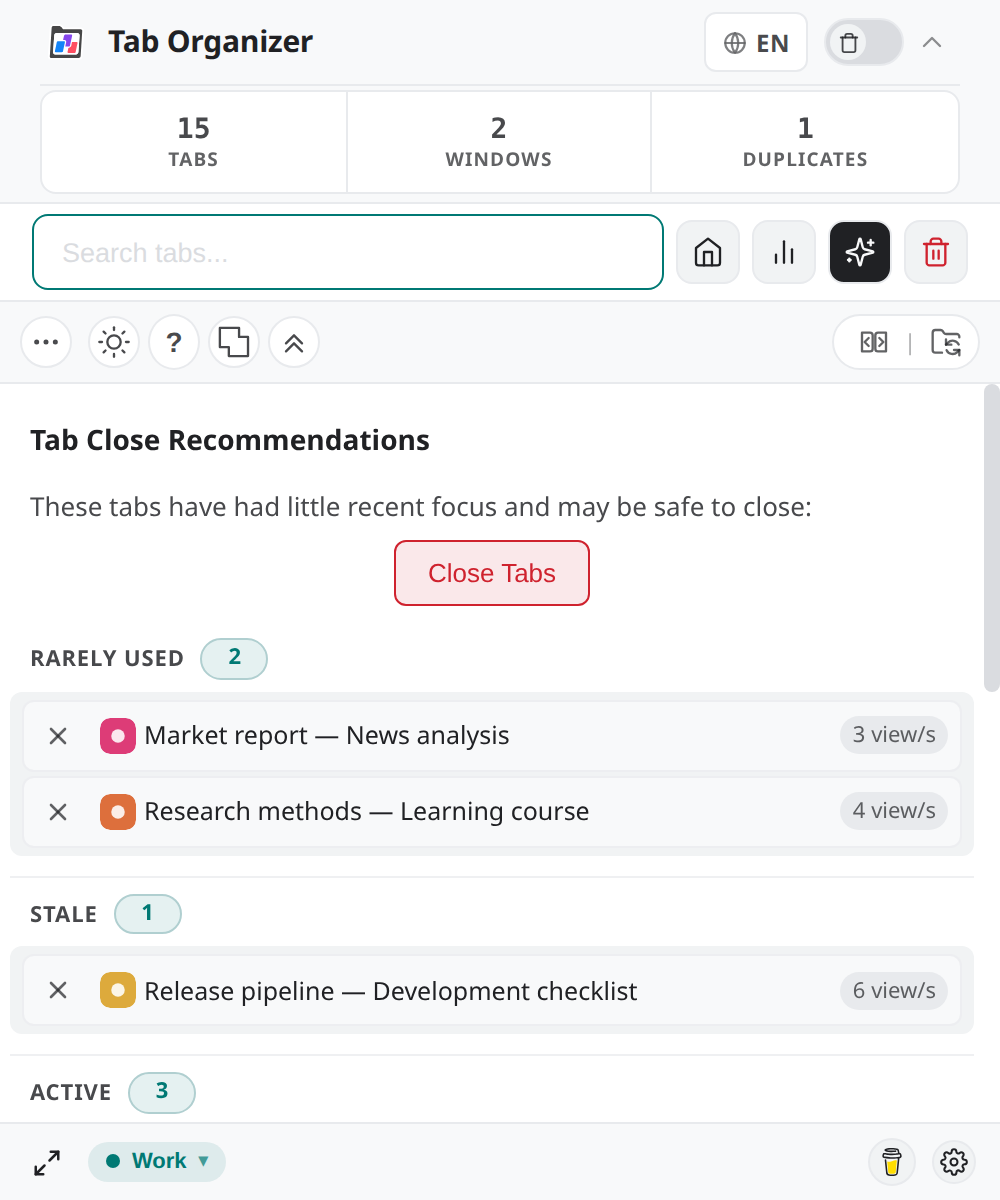
Switch to DeutschTab Close Recommendations highlights tabs that appear rarely visited according to history maintained by the extension. It is a review queue, not an automatic cleanup policy.
Review recommendations
Open the recommendations control from the popup. For each suggestion, consider:
- its title and domain;
- the recorded number of views;
- the time since the last recorded access; and
- whether the page contains work or context you still need.
This version applies multiple time and view-count thresholds, from short intervals for very low counts to longer intervals for more frequently viewed tabs. Pinned tabs are excluded from the active recommendation filter.
Adjust the selection
Select only tabs whose closure you have evaluated. Deselect:
- pages with unsaved input;
- reference material needed for the current task;
- media or application tabs whose live state matters; and
- any candidate whose title is not enough to identify it.
Activate a candidate to inspect it when uncertain, then return to recommendations and refresh if the recorded state changed.
Close rare tabs
- Review the selected recommendations one final time.
- Select Close Tabs.
- Verify the scope in the confirmation dialog.
- Confirm only when every selected tab can be closed.
- Check the refreshed tab count and recommendations list.
The separate Alt+Shift+K command starts Close all tabs except active, which has a much broader scope. Do not use that shortcut as a substitute for recommendation review.
Keep tabs
To keep a recommendation, leave it unselected or cancel before confirmation. Pinning a tab also excludes it from the recommendation filter used in this version, but pinning should reflect how you want Chrome to treat that tab—not serve as a temporary substitute for review.
If a useful tab keeps returning, continue using it normally or preserve its URL in your own workflow. Recommendations remain advisory; no closure occurs until you initiate and confirm it.