
Guides
Work across multiple windows
Filter tabs by Chrome window, move individual tabs, and merge other windows into the current window.
Switch to DeutschTab Organizer can show tabs as one list or by Chrome window. Use a filter when you need a smaller scope, move one tab when you want a precise change, and merge only when every other window belongs together.
Filter by window
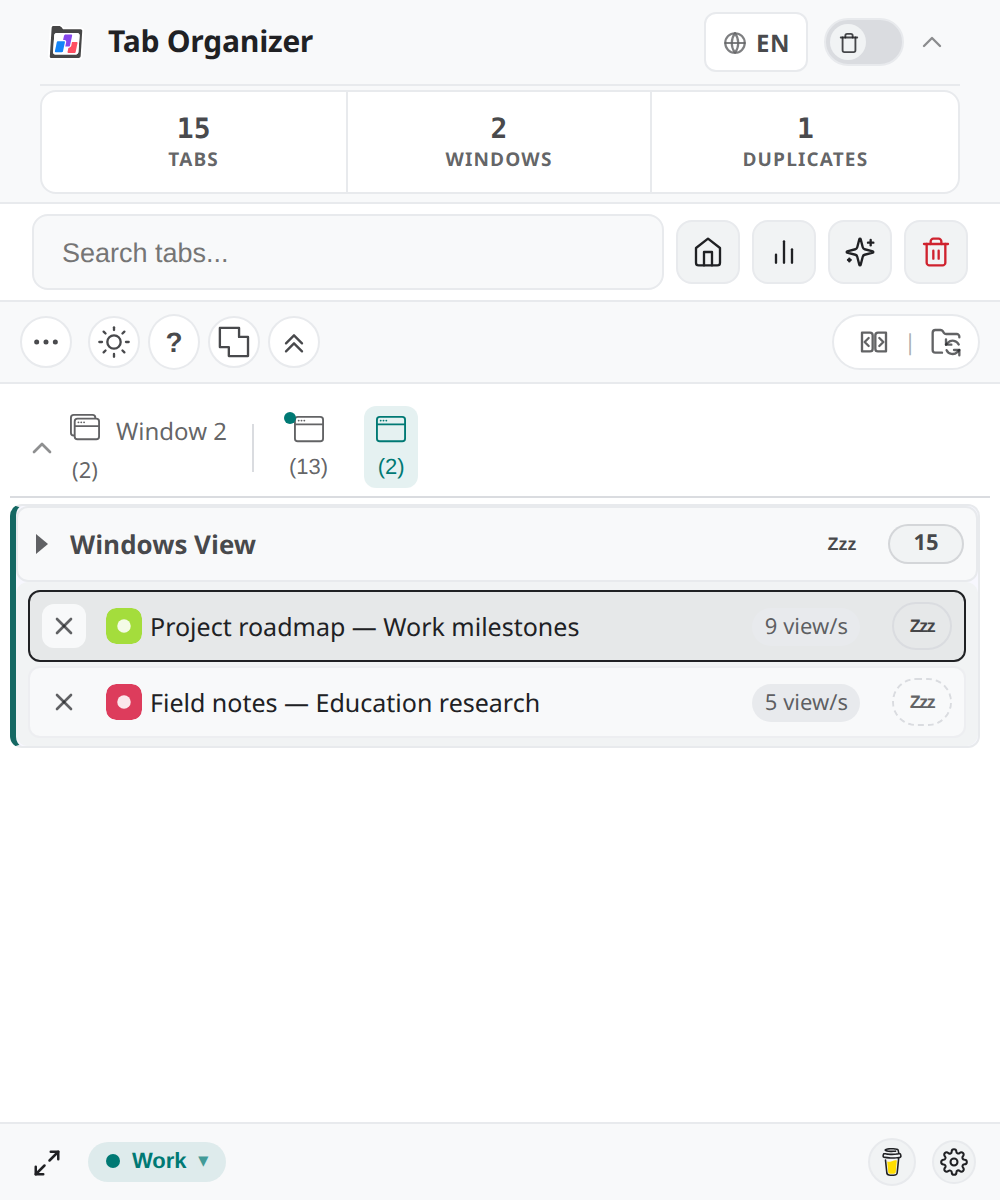
- Open the window bar with Windows.
- Select Show only this window on the window you want to inspect.
- Use Group tabs by window when you want separate window panels, or Switch to unified tab list for one combined list.
- Select Remove filter to return to the full set.
A window filter changes what the popup displays; it does not close or relocate tabs. Clear both window and group filters if a known tab appears to be missing.
Move between windows
Tabs from a different window are marked in the popup. To move one:
- Focus the Chrome window that should receive the tab, then open Tab Organizer there.
- Find the marked tab.
- Select Move to current window.
- Confirm that the tab disappears from its old window section and appears in the current one.
The popup does not provide general tab drag-and-drop between windows. Use the explicit move control so the destination is clear.
Merge windows
Merge all windows into current moves every tab from the other normal Chrome windows into the current window. The confirmation dialog reports how many tabs and other windows are affected.
- Focus the destination window and open Tab Organizer.
- Clear filters so you can account for every window.
- Select Merge all windows into current.
- In Merge Windows?, verify the tab and window counts.
- Continue only if the current window is the intended destination.
The merge control is unavailable when there is only one eligible window.
Verify the result
After a move or merge:
- Compare the popup's TABS and WINDOWS quick stats with the expected totals.
- Open the window bar and confirm the remaining distribution.
- Search for one tab from each former window and activate it.
- If native sync is on, inspect the tab strip after synchronization finishes.
Window merging preserves open tabs by moving them; it does not preserve the old window geometry as an active layout. A session export is the appropriate record when geometry matters.