
Guides
Clean up duplicate tabs
Review duplicate candidates, choose copies explicitly, and confirm only the tabs you intend to close.
Switch to DeutschThe duplicate workflow separates detection from deletion. Opening the view does not close anything; you select candidates and confirm the final count.
Review duplicates
- Open the DUPLICATES quick stat.
- Review each set of repeated candidates.
- Identify the item marked Original Tab and the entries marked as copies.
- Activate uncertain tabs to compare their current state before selecting any for closure.
Duplicate detection is based on tab identity such as URL or domain grouping in the extension. Pages with similar titles are not necessarily interchangeable, and two tabs with the same URL can contain different unsaved page state.
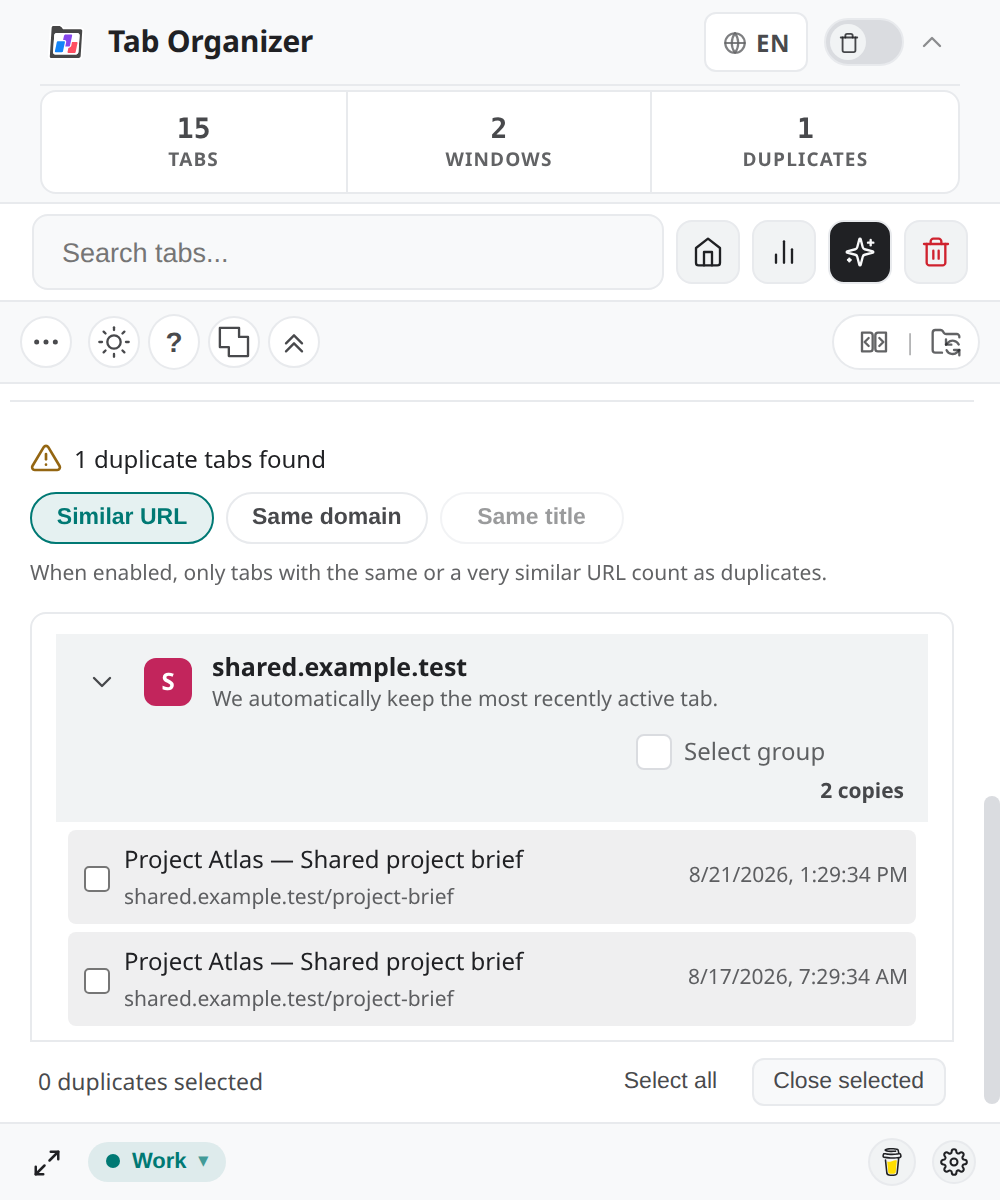
Select duplicates
Choose the narrowest useful scope:
- select one candidate when you have inspected it;
- use Select all duplicates in this group for one duplicate set; or
- use Select all duplicates across all groups only after reviewing every set.
Use Deselect all to restart. The number in Close Selected Duplicates is your final scope check.
Close selected tabs
- Review every selected candidate.
- Select Close Selected Duplicates.
- In Confirm Cleanup, compare the displayed count with your selection.
- Confirm only if the count and retained originals are correct.
- Wait for the duplicate view and quick stat to refresh.
Tab Organizer does not close duplicate tabs merely because it detects them.
Undo options
This version does not expose a dedicated duplicate-cleanup undo. If you closed a tab by mistake:
- Immediately use Chrome's Reopen closed tab command or recently closed history.
- Check that the restored page has the state you need.
- Return to the duplicate view and refresh its data.
Browser recovery is not guaranteed to restore unsaved forms, media position, or application state. For a large cleanup, save a session first so you retain a record of URLs and layout.