
Guides
Configure Auto-Collapse
Keep the active native tab group open while Tab Organizer collapses other groups during sync.
Switch to DeutschAuto-Collapse reduces the number of expanded native Chrome Tab Groups in the tab strip. It depends on active Tab Groups Sync (BETA).
Collapse behavior
When Auto-Collapse is enabled and you activate a tab:
- the native group containing the active tab remains expanded;
- other native groups can collapse; and
- subsequent tab and group events keep the state aligned.
This setting controls native groups in Chrome's tab strip. The popup has separate Collapse all groups and Expand all groups controls for its own group sections.
The Alt+Shift+C command performs the immediate action Collapse all groups except the active one. That command is useful even when you do not need the behavior on every activation.
Enable Auto-Collapse
- Review current group assignments in the popup.
- Enable Tab Groups Sync (BETA) and accept its overwrite boundary.
- Wait until the
SYNCstatus pill is active. - Select Enable Auto-Collapse.
- Activate a tab in a different native group and inspect the tab strip.
If sync is off, the extension cannot apply this behavior to native Chrome groups. See Native sync.
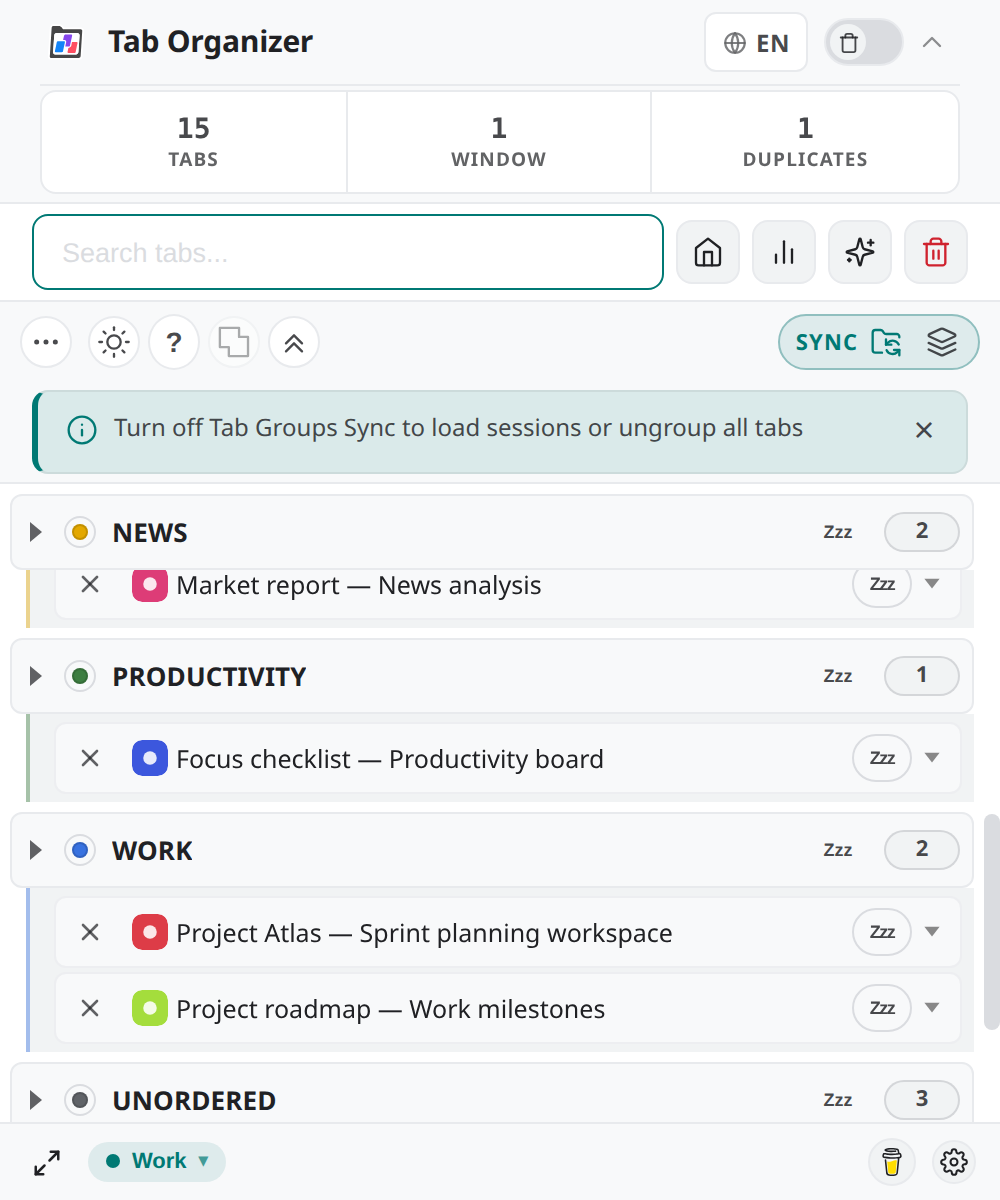
Active group
The active group is the native group containing Chrome's active tab. An ungrouped or pinned active tab may not provide a group for the focus action.
Use the green active-tab or active-window indicators in the popup as orientation, then verify the result in Chrome's tab strip. Color alone is not the only status cue: the sync indicator and expanded group state also show what happened.
Disable Auto-Collapse
Select Disable Auto-Collapse to stop automatic changes on activation. Existing groups that are already collapsed remain in their current Chrome state until you expand them.
Disabling Tab Groups Sync (BETA) also prevents Auto-Collapse from continuing to manage native groups. Turning either control off does not recreate a previous expanded or collapsed arrangement.