
Concepts
Automatic grouping and Tab Groups Sync (BETA)
Understand category assignment, custom groups, optional native Chrome Tab Groups Sync (BETA) on this profile, and its overwrite boundary.
Switch to DeutschTab Organizer has three related group layers. Automatic categories organize tabs in the popup, custom groups let you define your own labels and colors, and optional Tab Groups Sync (BETA) applies the resulting structure to native Chrome Tab Groups on this Chrome profile.
Tab Groups Sync (BETA) uses Chrome's group APIs locally. It does not sync tabs across devices or promise a separate cloud backup.
This page explains the automatic-assignment and Sync direction. To start from existing native groups and edit them directly, use Group Mirror Mode. Mirror and Sync cannot be active together.
Automatic grouping
This version compares an unpinned tab's domain and page title with rule sets for 15 categories, including DEV, NEWS, OFFICE, SEARCH, WORK, and UNORDERED. Language- and region-specific rules can supplement the base rules.
The extension recalculates state when relevant tab, group, or window events occur. Pinned tabs are excluded from the central automatic grouping and reorder paths. A category is a rule-based assignment, not a statement about the page's content or safety.
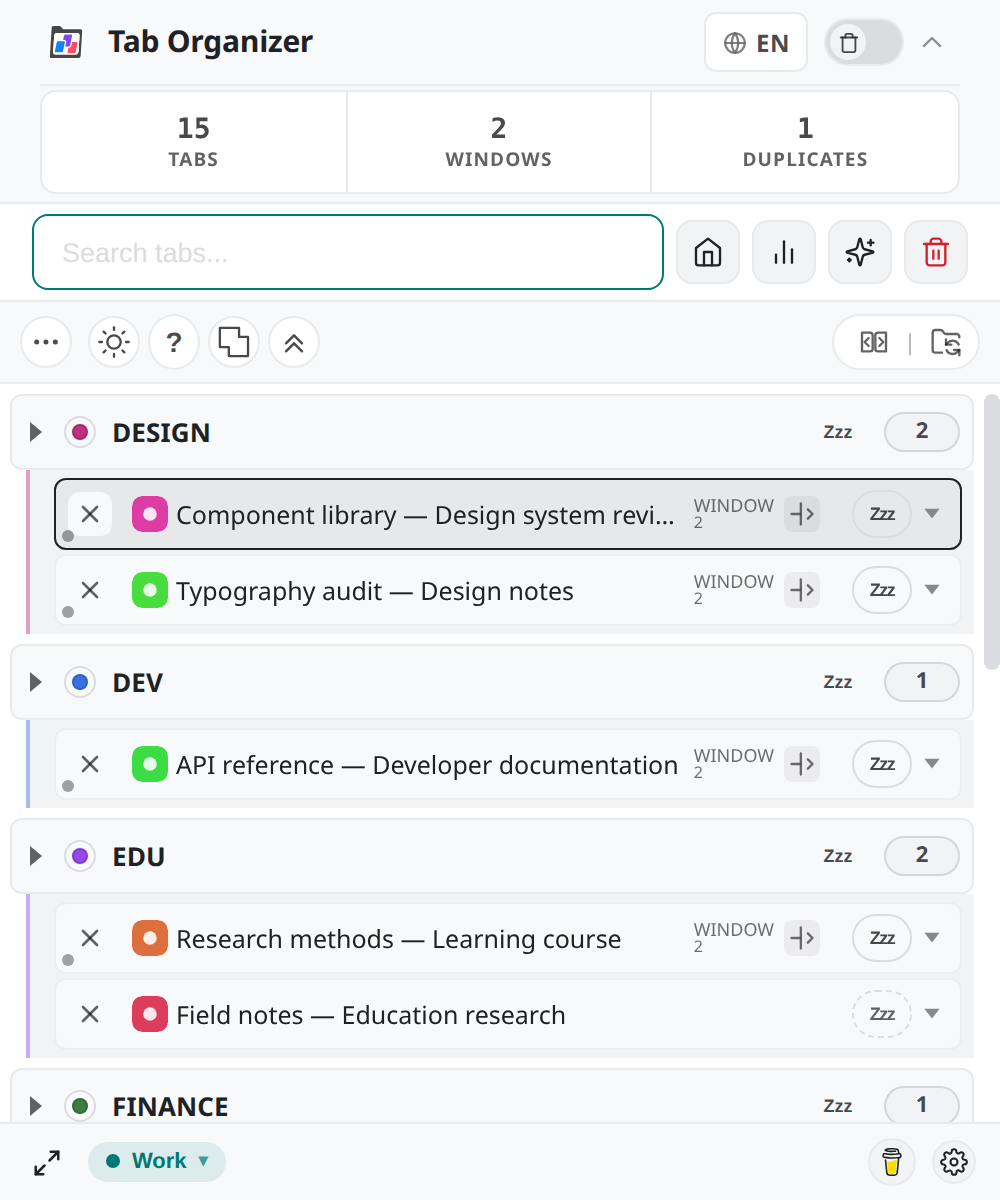
Fresh installs start with Group Mirror Mode on by default. Automatic categories still apply when Mirror is off and Sync is off.
Review assignments
Open the Groups view before changing browser groups:
- Expand each category and scan its tab titles.
- Look in UNORDERED for tabs that did not match a more specific rule.
- Use a tab's group selector to assign it to a different category or custom group.
- Create a custom group when the built-in categories do not match your workflow.
Manual assignment gives you direct control over the visible group. Custom group names and colors can be stored through Chrome Sync; automatic category rules still determine other assignments.
Tab Groups Sync
Tab Groups Sync (BETA) is opt-in. When you enable it, Tab Organizer creates and updates native Chrome Tab Groups for unpinned tabs on this profile. Tab movements and group changes are then reflected through Chrome's group APIs.
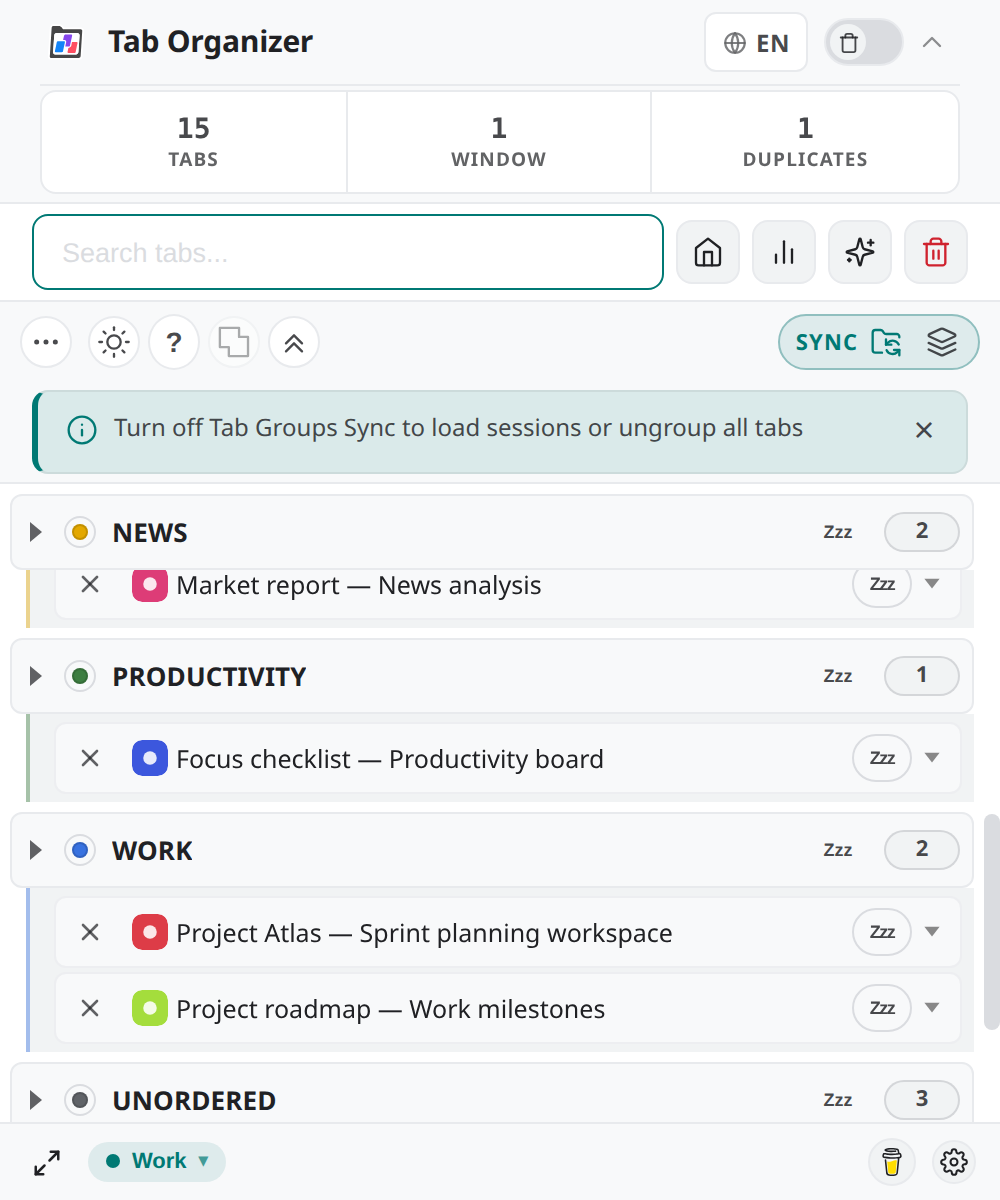
The toolbar shows a SYNC status pill while Sync is active. The Group Mirror Mode control is hidden until you turn Sync off. There is no SYNC OFF pill label — when Sync is off, the toolbar shows the Enable Sync (BETA) control.
Sync matters outside the popup: the category structure becomes visible in Chrome's tab strip. You can turn on Auto-Collapse only while Sync is active. See Auto-Collapse.
Overwrite boundary
Enabling Sync does not merge two independent group schemes. It applies the extension's current assignments to the browser.
- Turn off Group Mirror Mode if it is active.
- In Groups, confirm that each tab is assigned where you expect.
- Select Enable Sync (BETA).
- In Activate Tab Groups Sync?, read the overwrite message.
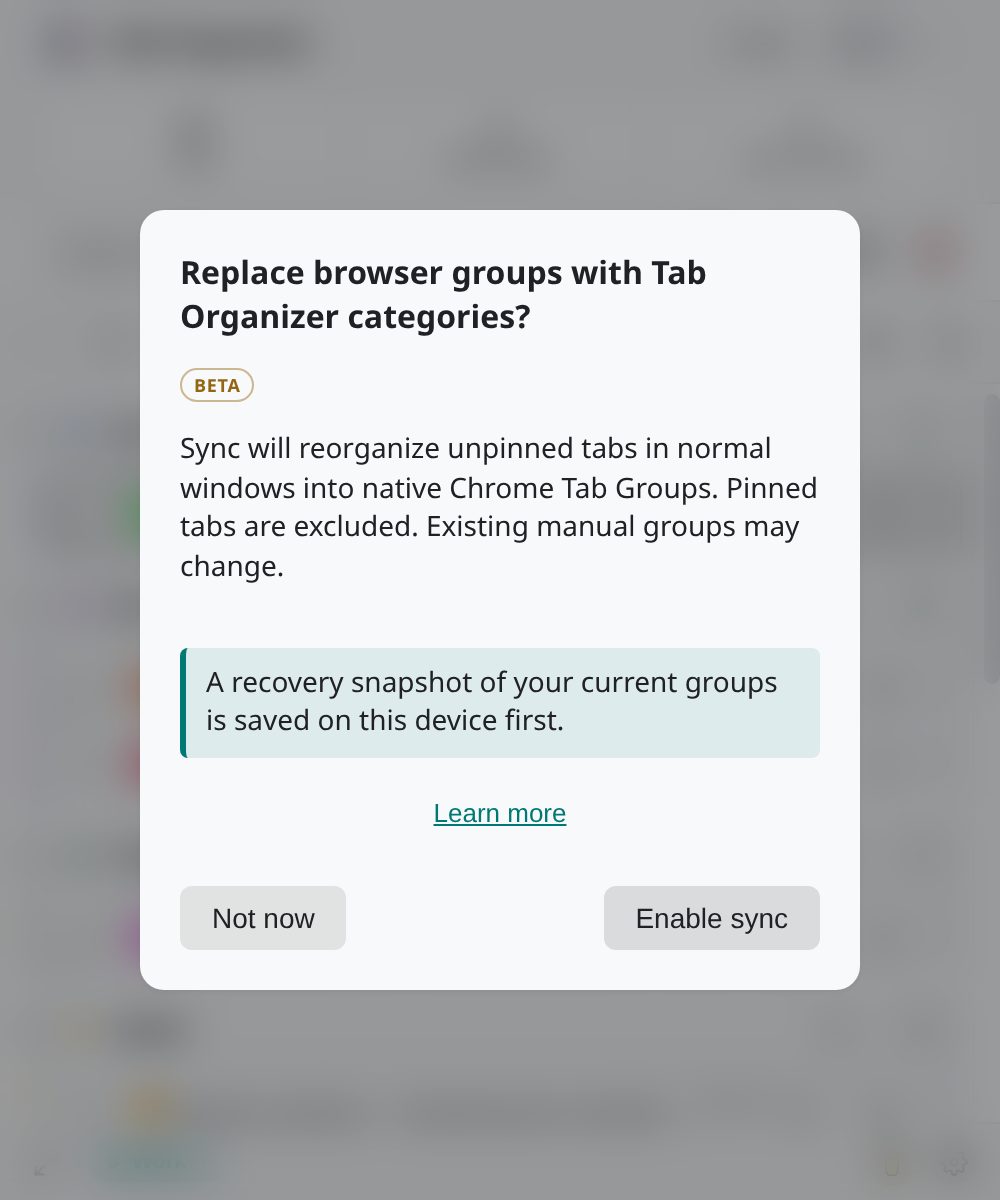
- Continue only if replacing the current native group structure is acceptable.
- Wait until the
SYNCpill is active, then inspect Chrome's tab strip.
Turning Sync off stops the extension from applying this live native-group structure. It does not promise to reconstruct the browser groups that existed before activation.